

Introducing QR Code Steganography: Because Normal QR Codes Are Too Mainstream

The Problem Nobody Knew They Had
You know what's boring? Regular QR codes. You scan them, they take you to a website. Yawn. 😴
You know what's exciting? QR codes that look totally normal to everyone else, but secretly contain hidden messages that only you can read. Spy level: 100. 🕵️♂️
So I built exactly that into InvisioVault. Because why should images have all the steganography fun?
What Makes This Different?
Most QR code generators can add text. Cool. But that text is in the QR data itself - anyone with a scanner can see it.
InvisioVault's QR codes are double agents. They have:
📱 Public data - What normal scanners see (your URL, contact info, whatever)
🔐 Hidden secret - Only visible when scanned with InvisioVault
Scan it with your phone? Goes to your website.
Scan it with InvisioVault? Reveals your secret message.
Same QR code. Two completely different experiences. Magic? No. URL fragments? Yes.
How It Works (The Nerdy Bits)
When you generate a QR code with InvisioVault, we encode it like this:
https://yourwebsite.com/#IVDATA:encrypted_secret_goes_here
Here's the clever part:
Normal QR scanners read the URL and open your browser
Browsers ignore everything after the
#(it's a URL fragment)Your website loads perfectly - no weird data, no errors
InvisioVault reads the full QR data including the fragment
We decrypt and display your hidden message 🎉
It's like hiding a secret note inside a birthday card, except the birthday card is a QR code and the note is encrypted with AES-256. As one does.
The Journey: A Tale of Trial and Error
Attempt 1: Null Byte Separation
"Let's use \x00 to separate public and private data!"
Result: Some scanners URL-encoded it. URLs looked like website.com%00garbage. Fail. ❌
Attempt 2: LSB Image Steganography
"Hide the secret in the QR code pixels!"
Result: Camera captures recompress images. Pixel data destroyed. Hidden message? Gone. Double fail. ❌❌
Attempt 3: URL Fragments
"What if we just... use URL fragments?"
Result: IT ACTUALLY WORKS. ✅
Sometimes the simple solution is the right solution. Sometimes you just need to fail twice first.
Live Camera Scanning 📷
But wait, there's more! You can now scan QR codes directly with your webcam. No screenshots, no uploads, just point and scan.
The technical magic:
5-tier progressive camera fallback (works on 95%+ devices)
Dual-canvas processing:
Original canvas: Preserves color for extraction
Enhanced canvas: 2x upscaling + grayscale + 50% contrast boost
Adaptive scan intervals (500ms → 2000ms with exponential backoff)
MD5-based request caching (60-80% cache hit rate)
Translation: It works fast, on almost any device, and doesn't murder your server. Success! 🎊
Show Me The Goods! 📸
Generating a QR Code
Here's what it looks like when you create a secret QR code:
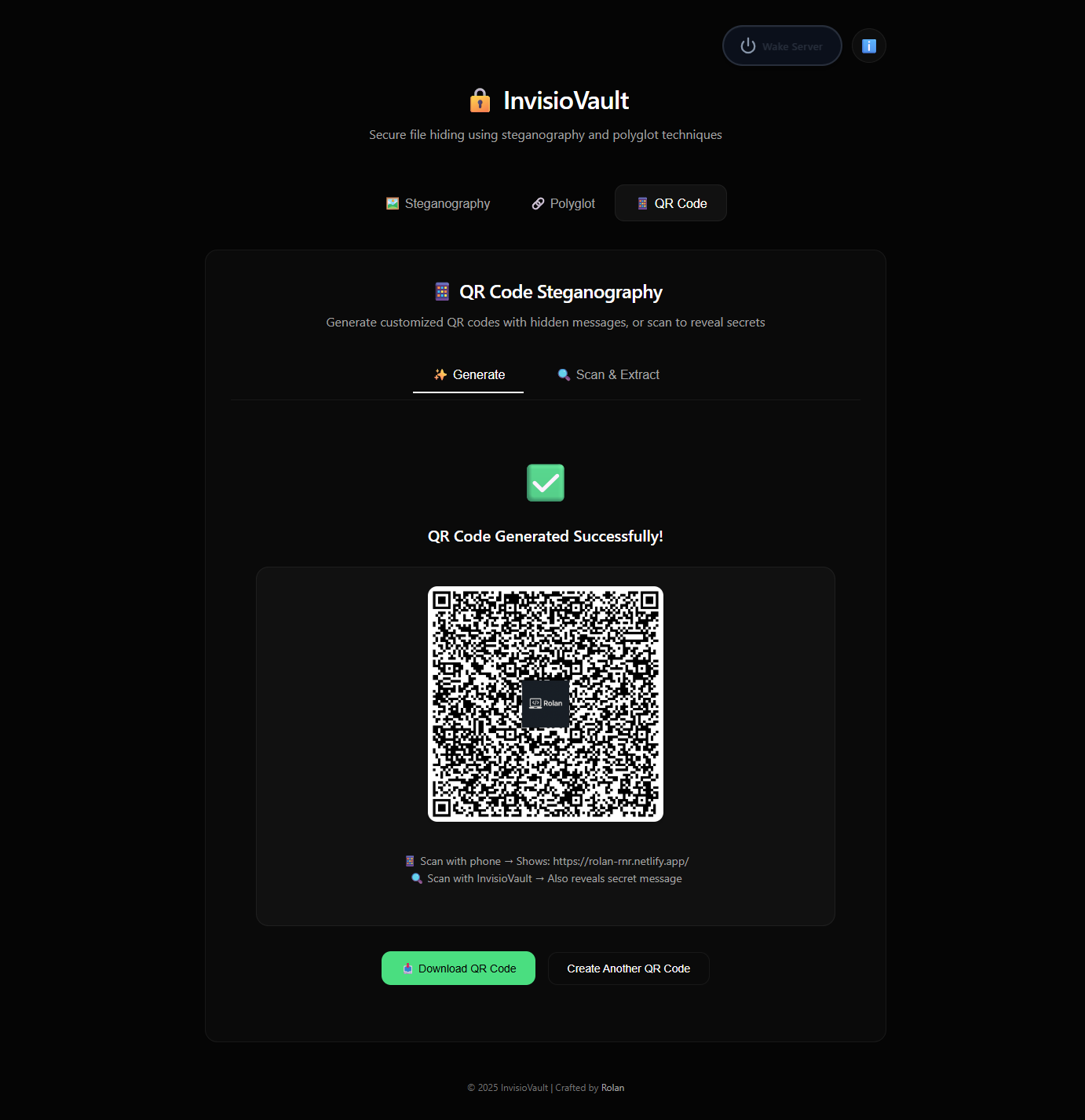
Just a normal-looking QR code generator... or is it? 😏
Scanning & Extracting the Secret
And here's what happens when you scan it with InvisioVault:
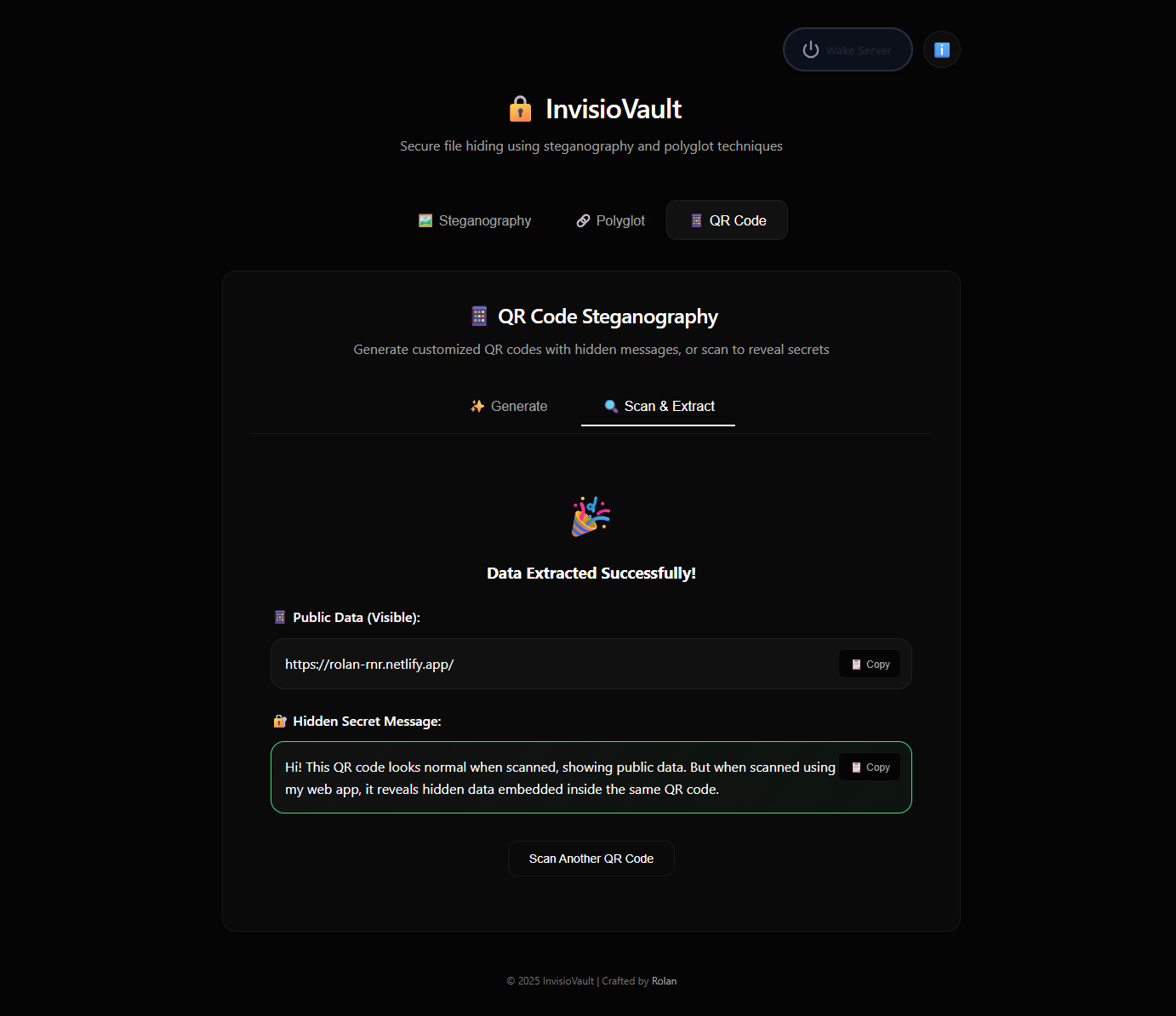
Public data? Check. Hidden secret message? Double check. Mission accomplished! ✨
Why This Is Actually Useful
"Okay cool, but when would I actually use this?"
Glad you asked! Here are some totally-not-made-up scenarios:
Business Cards 📇
Public: Your LinkedIn profile
Secret: Your actual phone number (for select people who scan it right)
Event Tickets 🎫
Public: Event website
Secret: VIP access code or exclusive content link
Product Packaging 📦
Public: Product information
Secret: Warranty details or customer support portal
Marketing Materials 📰
Public: Standard landing page
Secret: Special discount code for InvisioVault users
Just Because You Can 🎉
Public: Rick Roll link
Secret: Actual content you wanted to share
(Okay this one might be real)
Performance Stats 📊
Because numbers make everything more credible:
| Metric | Result |
| QR Detection Rate | 80%+ in good lighting |
| Device Compatibility | 95%+ |
| Backend Load Reduction | 60-80% (thanks to caching) |
| Normal Scanner Compatibility | 100% (they just ignore the secret) |
| Times I Thought This Wouldn't Work | 47 |
| Times I Was Wrong | 1 (this time it worked!) |
The Code Journey
This feature went through more iterations than I'd like to admit:
- Attempt 1: Data encoding with null bytes
+ Attempt 2: LSB pixel steganography
+ Attempt 3: URL fragment encoding ✓
Shoutout to:
Segno for QR generation
Pyzbar for QR scanning
URL fragments for existing and being perfect for this
Coffee for existing
Try It Yourself!
Head over to InvisioVault and give it a spin!
Generate a QR code with a hidden message
Scan it with your phone - see the public data
Scan it with InvisioVault - see the secret
Feel like a spy
Repeat until you've hidden secrets everywhere
What's Next?
Some ideas I'm considering (read: may or may not implement):
🎨 More QR customization options (logos, colors, patterns)
📊 Analytics to see who scanned your QR codes
🔗 QR code chaining (scan one, get led to another, treasure hunt style!)
🎭 Multiple hidden messages in one QR (because why not?)
Final Thoughts
Building this feature taught me several things:
The simple solution is often hidden behind two complicated ones
URL fragments are more useful than you think
Camera APIs are surprisingly well-supported now
LSB steganography is fragile and I should stop trying to make it work for everything
If you made it this far, congrats! You're either really interested in steganography, procrastinating on actual work, or both. Either way, thanks for reading! 🎉
Now go forth and hide secrets in QR codes. The world is your oyster. Or QR code. Same thing.
Technical Details (For the Curious)
If you want to dive deep into how this works:
Encryption:
AES-256-CBC with PBKDF2 key derivation
100,000 iterations (industry standard)
Random 16-byte salt and IV for each generation
QR Format:
{public_data}#IVDATA:{base64_encrypted_secret}
Camera Processing:
MediaStream API for webcam access
Canvas API for frame capture and enhancement
Dual-canvas approach for quality preservation
Real-time QR detection with adaptive intervals
Performance Optimizations:
MD5 hashing for request deduplication
In-memory caching with 1-second TTL
Exponential backoff to reduce unnecessary processing
Progressive camera configuration fallback
Made with 💜 by Rolan
P.S. - If you find any bugs, they're not bugs, they're undocumented features. But please tell me anyway. 😅
Share Your Creations!
If you create something cool with this feature, tag me! I'd love to see what creative uses people come up with for hidden QR messages.
GitHub: @Mrtracker-new
Email: rolanlobo901@gmail.com
Happy hiding! 🎭✨


